Back to Manage My Business

BTB App Studio

Build the app your business actually needs.

Plan the product with BTB, confirm the scope, and have our team build it through milestones, previews, revisions, and delivery.

Self-service App Studio is coming soon. The builder stays locked to BTB administrators while we keep developing and testing it. Public customers use the managed-build path for now.

Interactive App Studio Demo

From idea to an app people can actually use.

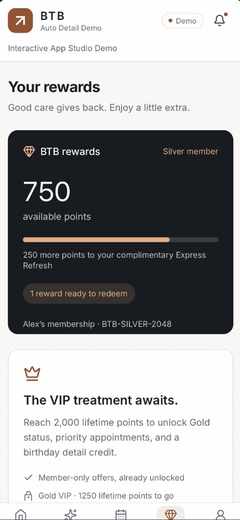
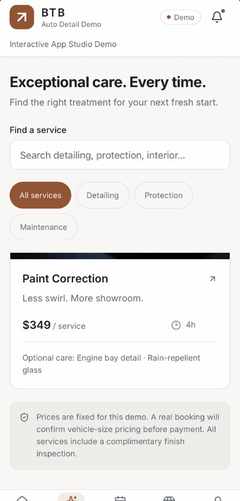
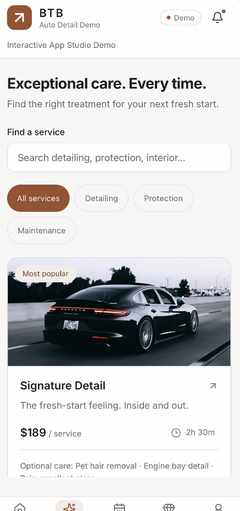
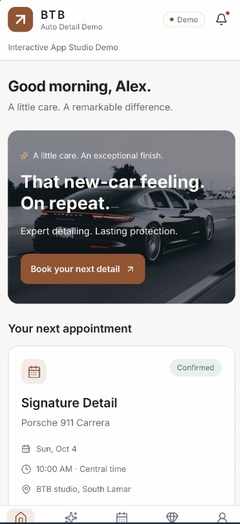
This original service-business demo shows the kind of customer experience BTB can build: services, booking, rewards, profile tools, messages and a polished mobile flow.

BookingServicesRewardsProfilesInbox

Sample business and sample data for demonstration only. Final features, integrations and publishing depend on the confirmed project scope.

Plan an app like this
Step 1

What are you building?

Choose the closest lane, then describe the idea normally. You do not need technical language.

Build path
Self-service builder — coming soon We are continuing development internally. Public builder access and self-service pricing are not available yet.

Step 2

What should people be able to do?

Pick the important capabilities. Anything unusual can still be described later.

Platforms

Features

Step 3

Make it yours.

Choose the feel. BTB can use your saved business context later; you can also explain references or special behavior here.

Visual direction

BTB will not silently add expensive features. Anything the planner suggests stays optional until you confirm it.

Step 4

Did we understand what you want?

Review the build plan before any quote or payment. Suggested features are not automatically added to your scope.

Saving the build plan does not charge you. Pricing comes after BTB understands the scope.

How App Studio works

You bring the idea. BTB manages the build.

01Plan the app

Describe the idea, select features and let BTB organize the screens, roles, integrations and open questions.

02Approve the quote

Nothing is charged while you are planning. After the scope is confirmed, BTB issues the exact project quote and any start deposit.

03Build, preview, revise

Follow milestones in your project dashboard, upload assets, preview builds, message the team and request revisions before delivery.

App Store and Google Play developer accounts, store fees, third-party services and approvals are separate when a project needs them. Store approval is not guaranteed by BTB.

App Studio

Your App Projects

Confirmed plans live here. The same project record carries your quote, payment status, build milestones, preview links, files, revisions, publishing, and delivery.